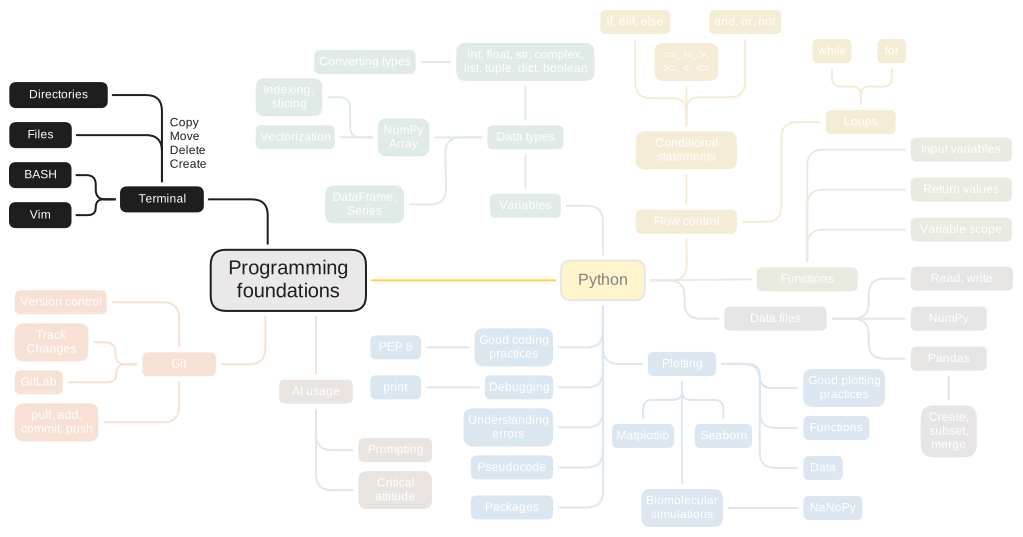
3. Terminal#
Terminal is an application that allows communication with the operating system using a command line interface (CLI), which saves time by allowing you to manipulate many files and folders at the same time and automate repetitive tasks. Unlike applications with a graphical user interface (GUI) - which contain buttons, sliders, and other interactive elements - the terminal requires us to enter lines of code (commands) in a CLI in order to perform tasks. These commands are then executed by a shell, which is a user interface to the operating system.

Fig. 3.1 You write commands in the terminal that are executed by the shell to affect your operating system. Bash logo by Magnun Leno, Free Art License 1.3#

Every operating system has a terminal where you can type commands to interact directly with the system. It’s a powerful way to control the computer without using graphical windows or menus. However, shells differ between operating systems:
Linux/macOS: They use Bash (Bourne-Again SHell) with commands based on Unix-like systems, such as
lsto list files.Windows: It has its own shells (CMD or PowerShell) with different commands, like
dirto list files. However, tools like Git Bash, WSL (Windows Subsystem for Linux), or Cygwin let you use Bash and Linux commands on Windows.
In this book, we will use Bash independent of whether you have WindowsOS, macOS or Linux, as Bash is widely used in scientific computing and most bioinformatics tools are designed for Linux environments.
Starting with the terminal is essential for a few reasons. First, it provides an efficient way to interact directly with the operating system, allowing us to navigate directories, manipulate files, install and run programs, and more. These skills are foundational for anyone working in nanobiology, as they help streamline workflows and give you control over your computer environment.
The terminal is tightly linked to many essential programming tools and concepts, such as package management and version control. For instance, many tools for installing software, managing dependencies, and version-tracking code operate primarily through a CLI. It is also possible to execute Python scripts from a terminal.
Beyond its application on your private computer, the terminal is used for remote access and management of other computers. Tools like SSH (Secure Shell) allow you to access and control remote machines like DelftBlue, the TU Delft supercomputing cluster. This is common in bioinformatics and computational biology, where high-performance computing is required and where many tools are designed for command-line use.
Bonus
An added bonus of using the terminal: you can pretend to be a hacker in front of your friends and family!